How to connect
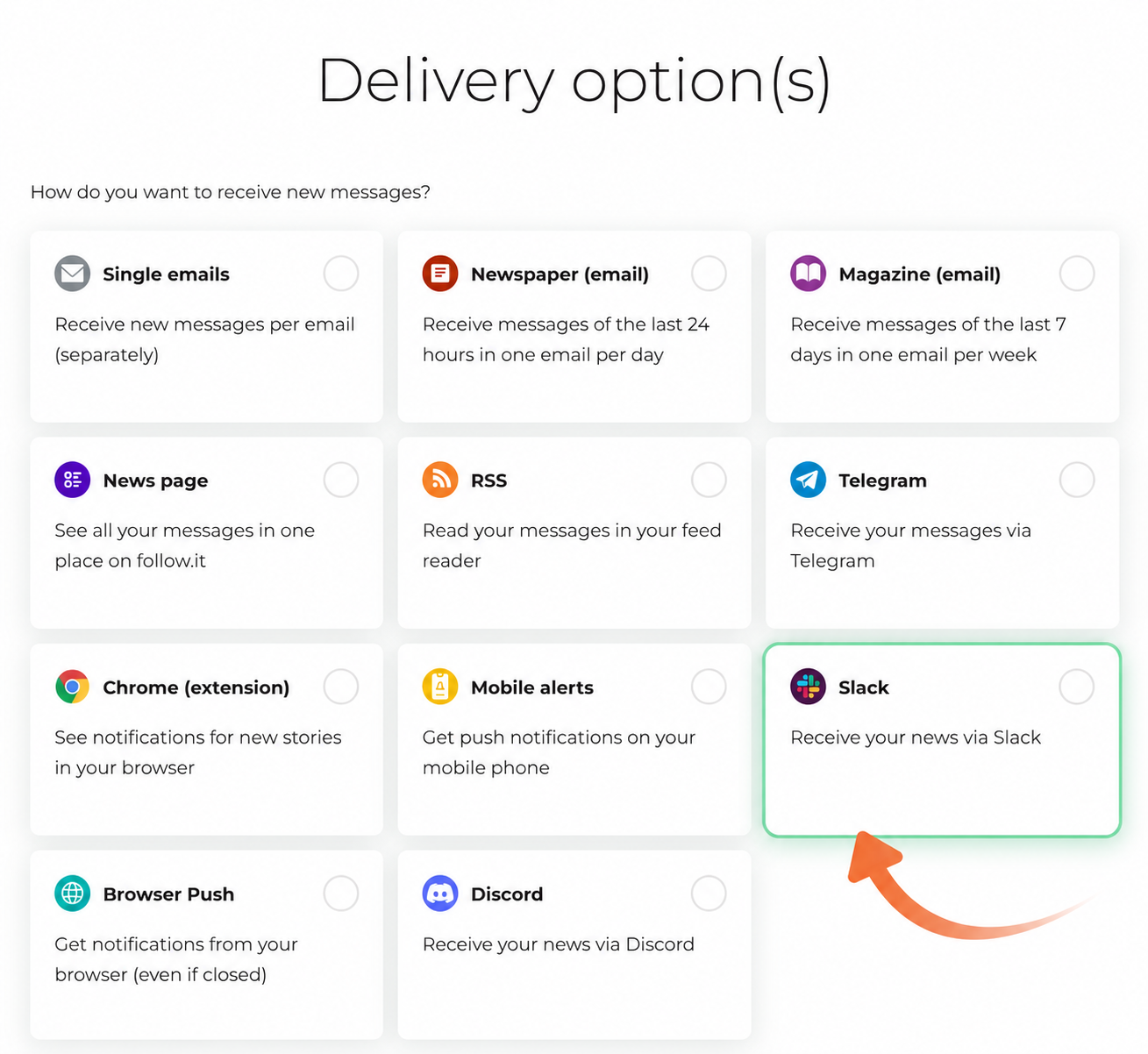
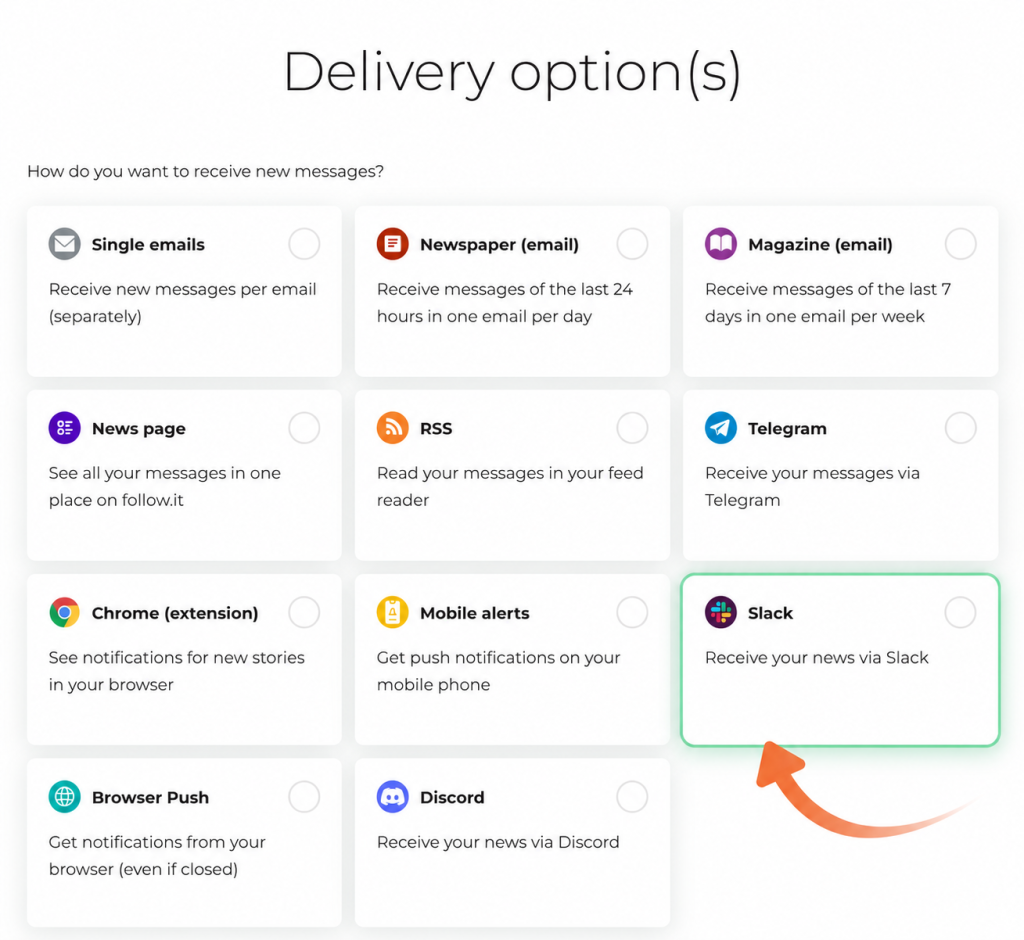
When choosing how you want to receive new stories on the feed page, select “Slack”.
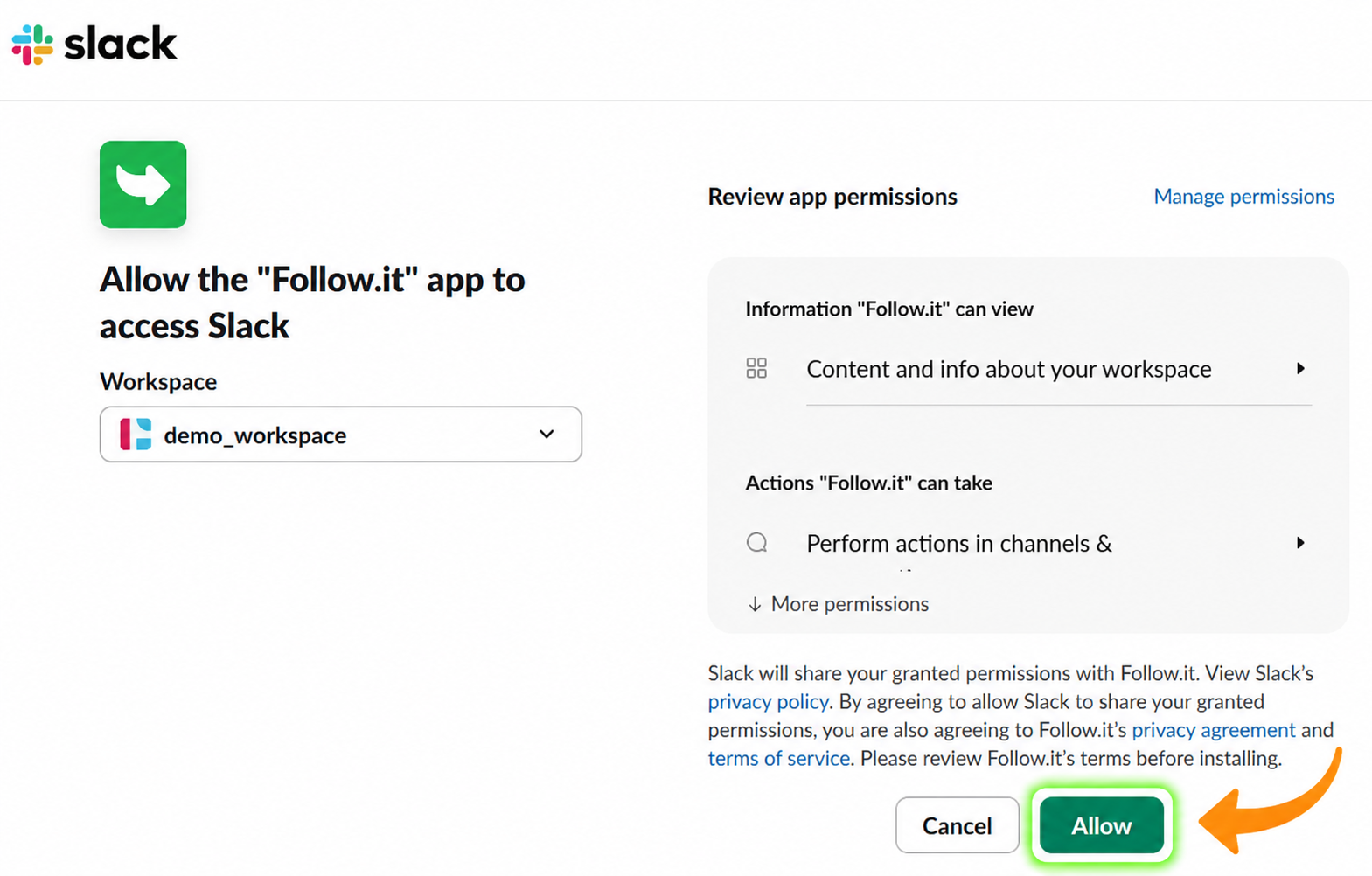
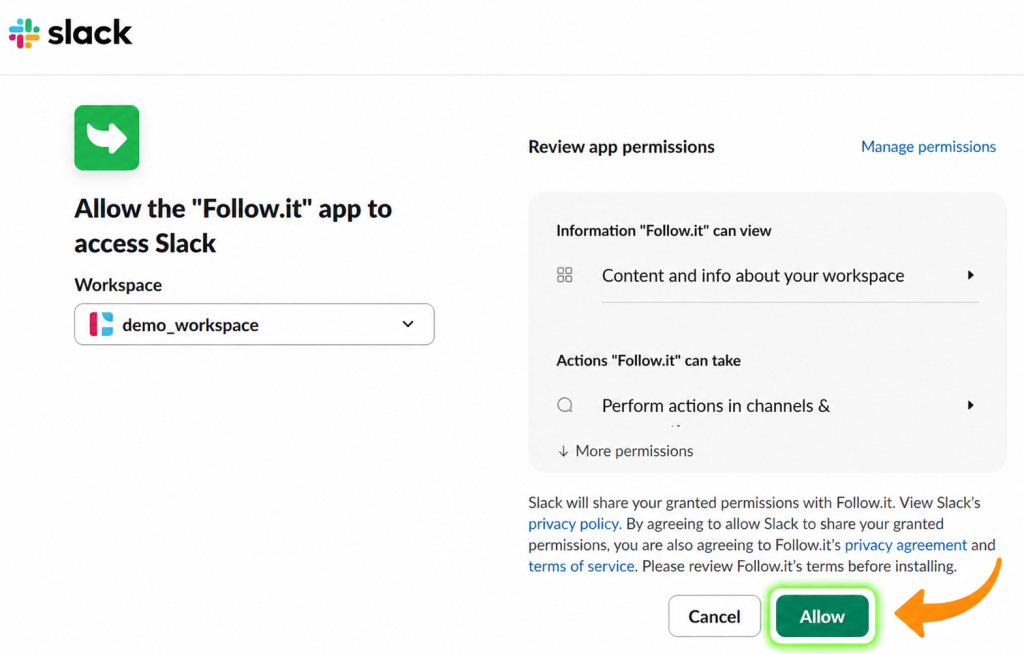
You will be redirected to an authorization page. Simply approve the prompt to install the app in your workspace and that’s it — new stories will be delivered to Slack automatically.
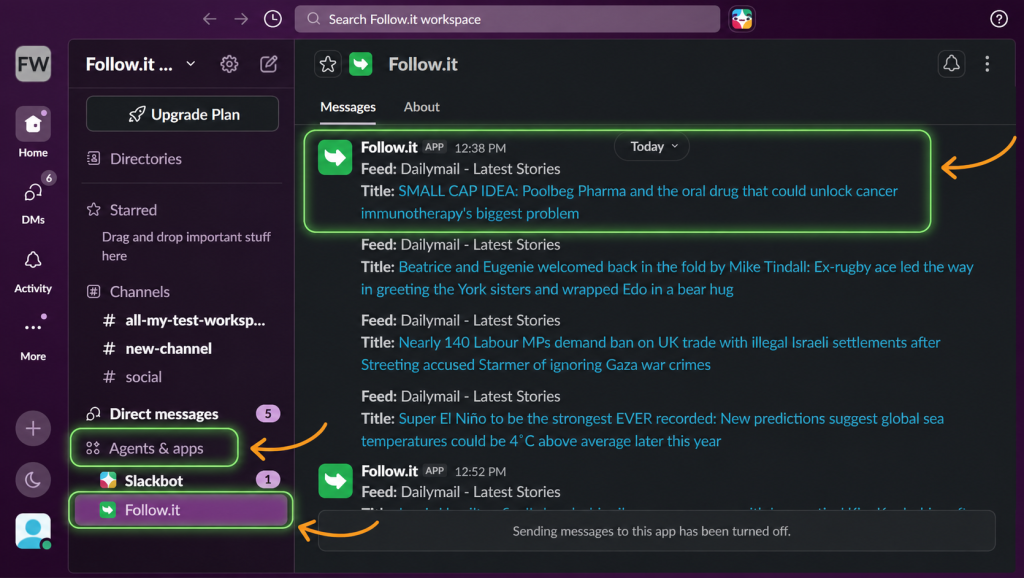
Where your news appears
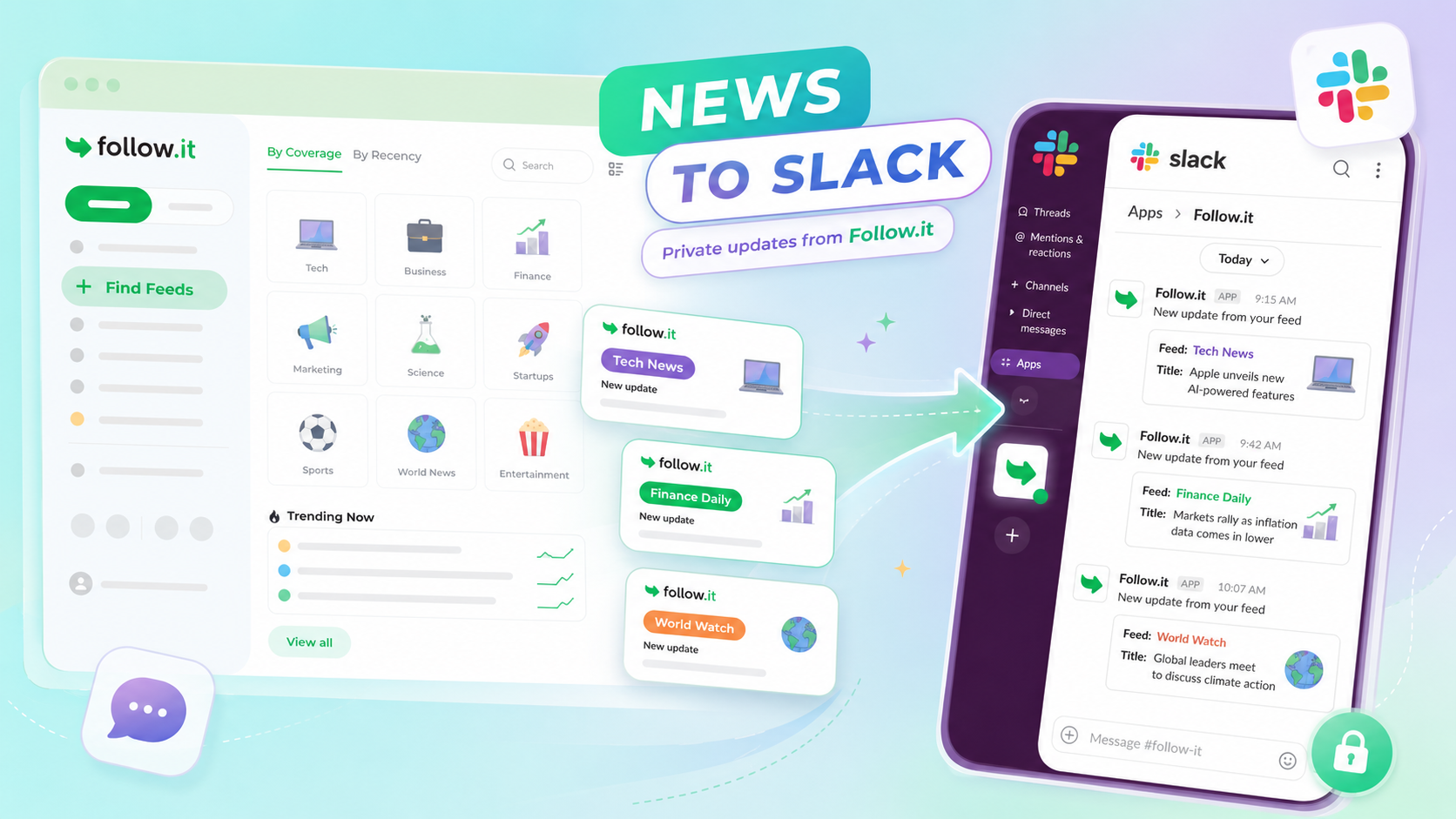
Your updates are sent privately, so they won’t clutter your team’s channels.
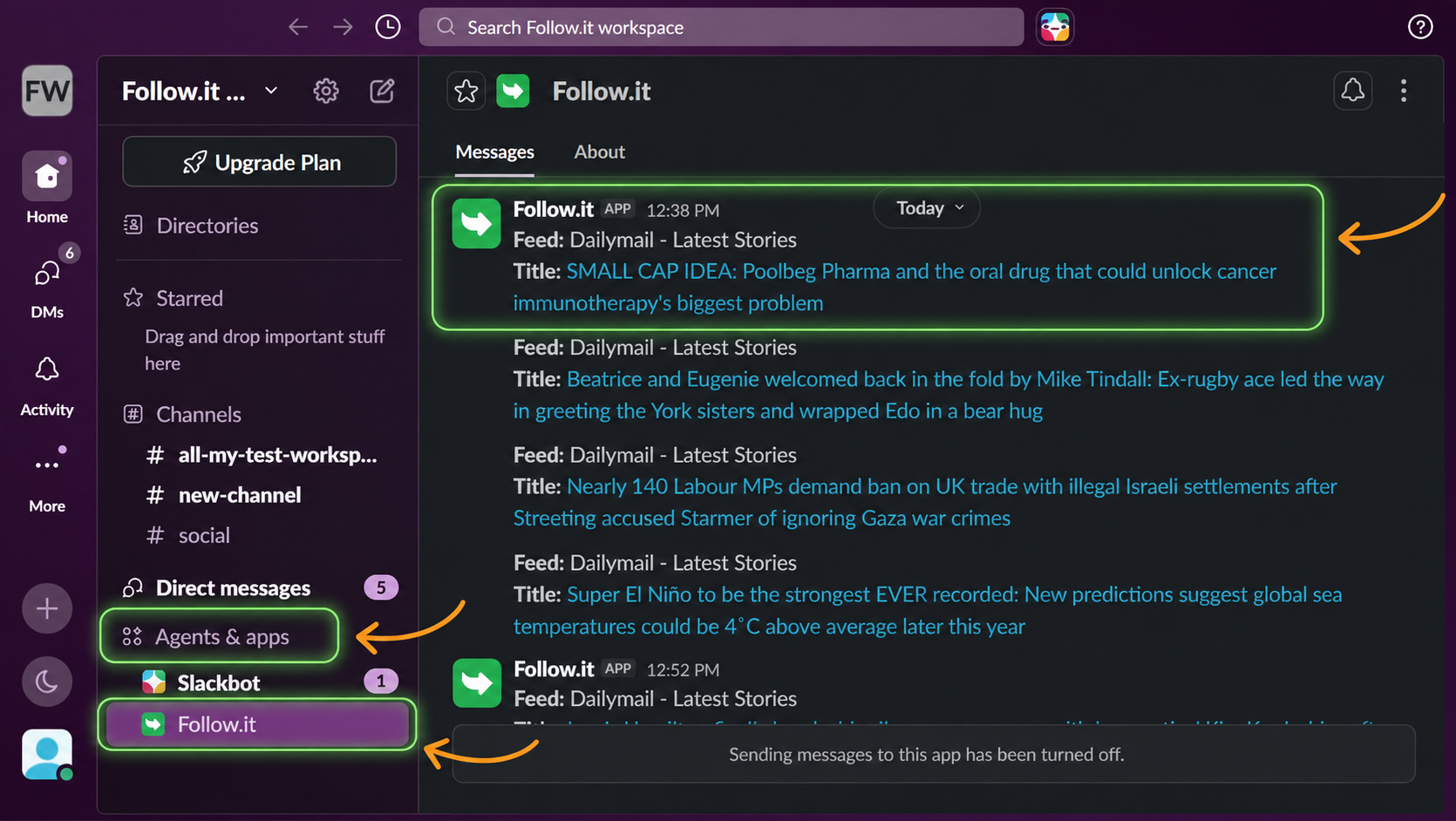
You’ll find them in the Apps section of your Slack sidebar, under the follow.it app. Each message includes the feed name and the story alert content.
You can manage or disconnect your Slack workspace at any time from the Delivery Settings page in your account.
Give it a try on your next follow!